
WordPress multisite is one of those features that sounds like the obvious answer the first time you hear about it: one WordPress installation that runs many sites, with one dashboard, one set of plugins and one login for everybody. Agencies hear “manage all client sites from one place”, franchises hear “roll out fifty location sites overnight”, and developers hear “update once instead of twenty times”. I have built and inherited plenty of multisite networks in twelve years of WordPress work, and my honest summary is this: multisite is genuinely excellent for a narrow set of situations, and quietly painful for everything else – and most of the pain only shows up months after the decision is made.
This guide is the conversation I have with clients before they commit. We will go through what multisite actually is under the bonnet (which is not what most people imagine), the cases where it is clearly the right call, the costs people discover late – plugin compatibility, backup and restore pain, the security blast radius, the difficulty of ever leaving – and the two alternatives that solve the same problems with less risk. There is a decision table by scenario near the end, and a short list of questions to settle before you install anything. If you are choosing an architecture for a real project, read the hidden-costs section twice.
Table of contents
- What WordPress multisite actually is
- When multisite genuinely makes sense
- The costs people discover late
- Multisite vs the alternatives
- Domain mapping: subdomains, subdirectories and custom domains
- Users and permissions: network admins vs site admins
- Maintenance and updates: the blessing and the curse
- Migrating in and out – honestly
- Hosting and scaling a network
- Decision table by scenario
- Questions to settle before you choose
- Frequently asked questions
What WordPress multisite actually is
Multisite is a mode of WordPress core, not a plugin. You switch it on with a constant in wp-config (define('MULTISITE', true); plus a few friends), and a single installation – one codebase, one wp-content folder, one database – becomes a network that can host many sites. Each site gets its own set of database tables (posts, options, terms and so on, prefixed like wp_2_posts, wp_3_posts), its own media library folder, its own settings, theme choice and content. What every site shares is everything else: the WordPress core files, the installed plugins and themes (each site can only activate what the network has installed), and – this is the part that surprises people – the users table. One account exists once across the whole network and gets a role on each site it belongs to.
Above the individual sites sits the network admin, a separate dashboard where a super admin installs plugins and themes, creates and deletes sites, manages users network-wide and controls settings that individual sites cannot touch. Site admins – the people running one site in the network – have a deliberately reduced version of the normal WordPress admin: they can activate the plugins the network allows, choose among the themes the network has enabled, and manage their own content and users, but they cannot install anything, edit code or see other sites.
What multisite is not: it is not a way to run completely independent websites that happen to share a server. The sites in a network are administratively and technically joined at the hip – same core version, same plugin versions, same PHP version, same database server, same uptime, same security posture. That coupling is exactly what makes multisite efficient when the sites belong together, and exactly what makes it painful when they do not. Most bad multisite decisions come from hearing “multiple sites” and not hearing “one installation”.
When multisite genuinely makes sense
There is a common thread in every good multisite project I have worked on: the sites share an owner, a team and an operational rhythm. When that is true, the shared machinery is a feature, not a risk. The genuine fits:
- Brand, franchise and location networks. A company with thirty branches, dealers or franchisees, where every site uses the same theme, the same plugin stack and the same content structure, and head office wants central control with local editing. Multisite gives each location its own site and editor while one team pushes design changes, legal pages and campaigns to everyone at once. This is the textbook case and it works beautifully.
- Per-language sites for one organisation. Instead of a translation plugin, some organisations run each language as its own site in a network (the multilingual plugin MultilingualPress is built exactly for this). It keeps each language’s content, URLs and SEO fully independent, at the cost of more coordination. I compare this approach with WPML and Polylang in my multilingual WordPress guide – for two or three languages a translation plugin is usually simpler, but for regional sites with genuinely different content, a network is a clean model.
- Universities, campuses and large institutions. Departments, faculties, research groups and events all want their own site, IT wants one platform to secure and update, and nobody wants to provision a new installation every week. Multisite with a curated theme and plugin set is the standard answer, and site creation becomes a two-minute task.
- Agency-hosted micro-sites and campaign sites. An agency that spins up dozens of small, short-lived, similar sites – landing pages, event sites, one-pagers on a shared template – can run them all in one network it fully controls. The key words are “similar” and “fully controls”: the agency owns the stack, the clients never need admin freedom, and sites are cheap to create and destroy.
- Intranets and internal tools. A company intranet with per-department sites, shared logins from one user base, and no public traffic is a low-risk multisite: the audience is known, the plugin stack is stable, and single sign-on across the network is a genuine everyday convenience.
Notice what is not on the list: “an agency hosting its unrelated client sites”. That is the most common multisite mistake I see, and the alternatives section explains what to do instead.
The costs people discover late
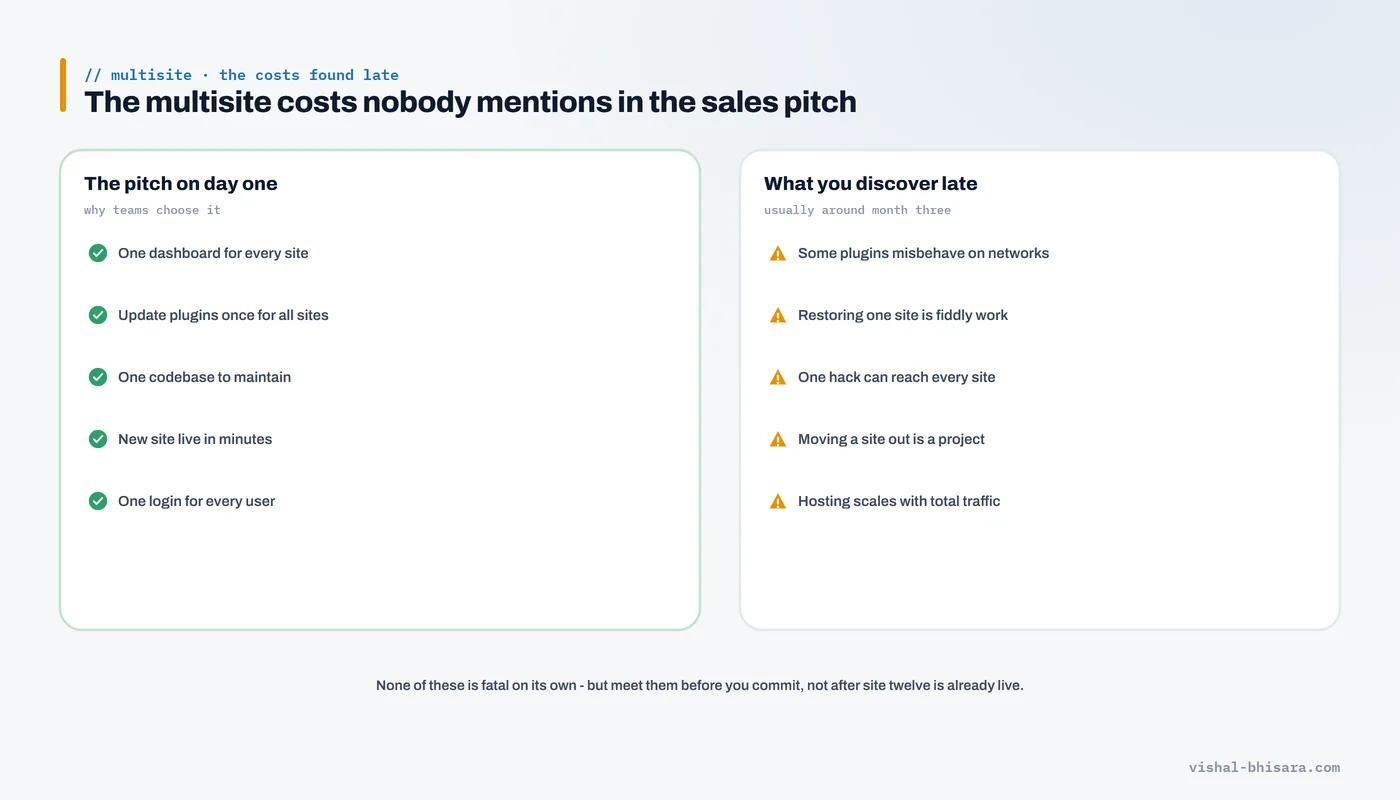
Multisite’s benefits are visible in the first week. Its costs tend to surface around month three, usually at the worst possible moment. These are the ones I see most, in roughly the order people discover them:
- Plugin compatibility is a permanent question mark. Well-built plugins work fine on multisite. But plenty of plugins – including popular commercial ones – were written and tested for single sites. Some store options wrongly, some assume table names, some break on network activation, some handle licensing per installation rather than per site (which can be a pleasant surprise or a licensing argument), and some e-commerce, membership and SEO plugins have documented multisite quirks. Every plugin you evaluate now has an extra question attached: “and does it behave on a network?” You often only find the answer in production.
- Backing up is easy – restoring one site is not. The network is one database and one file tree, so a full backup is straightforward. But the day you actually need a restore, you almost never want the whole network rolled back – you want yesterday’s version of site number seven because someone deleted its pages, while the other nineteen sites keep today’s orders and content. Extracting one site’s tables and uploads from a full network backup is fiddly, manual work that most backup plugins do not automate well. I cover the general discipline in my backup and disaster recovery guide, but on multisite you must specifically test a single-site restore before you trust your setup.
- One hack is every site hacked. The sites share one codebase and one database. If an attacker gets in through a vulnerable plugin on the least important site in the network – the abandoned campaign site nobody has looked at since last year – they are standing inside the same installation that runs your flagship site. The blast radius of any compromise is the whole network, and so is the cleanup. On separate installations, one hacked site is one hacked site.
- Migrations out are genuinely hard. Moving a normal WordPress site to a new host is routine. Extracting one site from a network – because a franchisee leaves, a client wants to take their site elsewhere, or one site has grown big enough to deserve its own server – means exporting its tables, rewriting prefixes, moving its slice of the uploads folder, converting network-dependent settings, rebuilding users (who were shared) and fixing URLs. It is a proper project, not an afternoon. Multisite is easy to enter and expensive to leave, and you should price that in on day one.
- Everything shares one fate. One PHP version for all sites, one core version, one plugin update that either suits everyone or no one. When one site needs a plugin version the others cannot take yet, or one site’s traffic spike slows the database for the whole network, you feel the coupling. Uptime, performance and maintenance windows are collective.
None of these is a reason never to use multisite. They are reasons to use it only when the sites genuinely belong together – because then the shared fate is the point, not the problem.
Multisite vs the alternatives
Most requirements that sound like multisite are better served by one of two alternatives, so compare all three before deciding.
Alternative one: separate installations plus a management tool. Tools like MainWP, ManageWP or InfiniteWP give you the dashboard part of multisite’s promise – one screen showing updates, backups, uptime and security across many sites – while every site stays a fully independent installation. Each site keeps its own plugins, its own PHP version if needed, its own backup and restore, its own hosting, and its own blast radius. Handover is trivial: give the client their site and remove it from your dashboard. This is almost always the right architecture for agencies looking after unrelated client sites, and it is how I run maintenance for my own clients. The trade-off is cost and duplication: N sites means N hosting environments, N sets of licences and updates that a tool coordinates but still executes N times.
Alternative two: one site with structure. Sometimes “we need fifty sites” really means “we need fifty pages that look consistent”. A business with many locations, services or brands often only needs one WordPress site with a custom post type per location, a good template, and per-branch landing pages. One theme, one admin, one SEO profile, the simplest possible maintenance – and internal linking between locations that a network of separate sites cannot easily give you. If no location needs its own editor with an isolated dashboard, its own domain or its own plugin decisions, this beats both multisite and separate installs on every practical axis.
So the honest sorting question is about operations, not technology. Do the sites share one owner and one team that will update, secure and evolve them together forever? Multisite. Are they independent businesses or clients who may someday want to leave with their site under their arm? Separate installations with a management tool. Is “sites” really “sections of one brand’s presence”? One structured site. In my experience roughly one project in five that asks for multisite actually lands in the first category once we talk it through.

Domain mapping: subdomains, subdirectories and custom domains
When you enable multisite you choose between subdirectory sites (example.com/site-two/) and subdomain sites (site-two.example.com), and the choice is awkward to reverse later. Subdirectories are simpler – no DNS or SSL work per site – and suit intranets, campuses and language folders. Subdomains suit networks where each site has its own identity, and they require a wildcard DNS record and a wildcard or multi-domain SSL certificate.
The third option is the one most business networks actually want: full custom domains, where site seven in the network answers on seventhbrand.com. Domain mapping has been part of WordPress core for years now (no plugin needed – you simply set the site’s URL in the network admin), but the operational work remains: each mapped domain needs its DNS pointed at the network’s server and an SSL certificate issued and renewed for it. Hosts with proper multisite support automate certificates per mapped domain; on hosts without it you will be doing certificate housekeeping by hand, which gets old at twenty domains. Two more practical notes: mapped domains make cookies and logins cleaner per brand but mean your network’s uptime now sits behind many companies’ domains, and search engines treat each mapped domain as an independent site – which is what you want for brands, and a duplicate-content risk if the sites share large amounts of identical content.
Users and permissions: network admins vs site admins
The multisite permission model is a layer on top of the normal WordPress roles, and misunderstanding it causes real security incidents. At the top sit super admins, who manage the network: they install plugins and themes, create and delete sites, edit users across the network and can enter any site’s dashboard. Below them, each site has its usual roles – administrator, editor, author and so on – but a site administrator on a network is weaker than on a normal WordPress installation: no plugin or theme installation, no file editing, no user creation with roles above their own by default. That reduction is deliberate and it is one of multisite’s under-appreciated strengths for institutions: you can hand a department or a franchisee an admin login that lets them run their site without letting them break the platform.
The shared users table cuts both ways. Single sign-on across the network is convenient – one account, roles on several sites – and a genuine feature for intranets and campuses. But it also means user cleanup is network-wide (deleting a person touches every site they belong to), a compromised account with roles on several sites is a multi-site problem, and plugins that modify roles or capabilities can have effects beyond the site they were configured on. Keep super admin accounts to the absolute minimum – two people, not seven – protect them with two-factor authentication, and audit per-site roles a couple of times a year. The underlying capability system is the same one I explain in my WordPress user roles and permissions guide; multisite just adds the network layer on top and raises the stakes for getting it wrong.
Maintenance and updates: the blessing and the curse
The blessing is real: one core update, one plugin update, one theme update – and every site in the network has it. For a thirty-site brand network that is the difference between an afternoon of repetitive clicking and ten minutes. Licence costs often improve too, since many commercial plugins are licensed per installation. If the sites are similar and the plugin stack is curated, a well-run network is the cheapest set of thirty sites you can maintain, and this is the honest reason agencies are drawn to it.
The curse is the same sentence read in a different mood: one update, and every site has it – including the site where it breaks something. On a single site you update, check, and roll back if needed. On a network, an update that conflicts with one site’s configuration is now live on all of them, and rolling back is network-wide too. The discipline that makes this safe is the same one that makes any serious maintenance safe, applied more strictly: a staging copy of the network, updates tested there first against the sites that differ most, a fresh verified backup before the production run, and a check across a sample of sites afterwards – not just the homepage of the main one. Curate the plugin list ruthlessly: every plugin you allow onto the network multiplies its risk by the number of sites. This is exactly the kind of routine I run for clients under my WordPress maintenance and security service, and multisite networks get the strict version of it.
Migrating in and out – honestly
Migrating a standalone site into a network is the easier direction, but it is not drag-and-drop. The standard route is the WordPress exporter/importer for content, manual recreation of settings and widgets, re-uploading media (or moving files and rewriting URLs), reinstalling the site’s plugins at network level, and rebuilding users – who now become shared network users, which needs thought if the same email exists on two incoming sites. Themes and plugins that stored custom tables or serialized options need careful handling. Budget half a day to a day per typical site, more for stores or membership sites, and migrate a pilot site first.
Migrating out is the direction people underestimate, because they never planned for it. The site’s tables must be extracted and re-prefixed from wp_7_* to a standalone wp_* set, the network-specific tables and options converted, the site’s uploads folder (which lives in a per-site subfolder on multisite) moved and every media URL rewritten, users exported from the shared table with their roles reconstructed, and plugin licences re-issued for the new installation. Serialized data makes naive search-and-replace dangerous, so it is a job for proper tooling (WP-CLI and a serialization-aware search-replace) and a test restore before DNS moves. Plan a day or two per site plus testing. My honest advice: before you build a network, write down who might ever need to leave it. If the answer is “any of these sites, because they are clients”, that is your architecture answer right there – use separate installations and never face this migration at all.
Hosting and scaling a network
A multisite network concentrates the traffic, storage and database load of all its sites onto one hosting environment, so host it like the sum of its sites, not like one site that happens to have subsites. Practical implications: shared hosting is out for anything beyond a hobby network; you want a VPS or managed WordPress hosting that explicitly supports multisite (some managed hosts restrict or price networks differently – check before you commit, not after). The database is the first bottleneck, because every site multiplies the table count and the busiest site’s queries share the same server as everyone else’s; a network with one high-traffic site among quiet ones behaves like a high-traffic site for capacity planning. Page caching needs to be network-aware so that site A’s cache never leaks into site B, object caching (Redis) helps every site at once, and a CDN in front of mapped domains needs configuration per domain. Media storage grows faster than people expect – every site has its own uploads tree – so watch disk from day one.
The upside is that scaling work pays off across the whole network at once: one server upgrade, one caching layer, one database tune benefits all thirty sites. The techniques are the same ones I walk through in my guide to scaling WordPress for high-traffic websites – the difference on multisite is that you are provisioning for the aggregate, and that one noisy site can spend everyone’s budget. If one site in the network is on a very different trajectory from the rest, that is often the signal to migrate it out to its own installation while it is still cheap to do.
Decision table by scenario
The table below is how I actually advise clients, scenario by scenario. It assumes the sites are WordPress-appropriate in the first place and that someone competent will maintain whatever you choose.
| Scenario | My recommendation | Why |
|---|---|---|
| Franchise or brand with 10-100 location sites, central team | Multisite | Shared theme and ops, central control, local editors – the textbook fit |
| University, campus or large institution | Multisite | Constant site creation, curated stack, IT keeps one platform to secure |
| Agency hosting unrelated client sites | Separate installs + MainWP | Isolation, per-site restore, painless handover when a client leaves |
| One business with multiple locations, no local editors | One site + custom post types | Simplest to maintain, best internal linking, no network overhead |
| Multilingual site, 2-3 languages, shared content | One site + WPML/Polylang | Translation plugins are simpler than a per-language network at this size |
| Regional sites per country with different content and teams | Multisite (or separate installs) | Independent content and SEO per region; network wins if one team runs ops |
| Company intranet with department areas | Multisite | Shared logins, low risk, cheap site creation, no public attack surface |
| Many short-lived campaign micro-sites on one template | Multisite | Fast creation and disposal under one roof the agency controls |
| A few sites with wildly different stacks (store, blog, portal) | Separate installs | Different plugin and scaling needs make shared fate a liability |
If your scenario is not in the table, apply the sorting question from the alternatives section: one owner and one team forever means multisite is on the table; anything else means it probably is not.
Questions to settle before you choose
Before I enable multisite for any client, we answer these in writing. They take an hour and they prevent the expensive kind of regret:
- Who owns every site in five years? If any site might leave the network – clients, franchisees who churn, a brand that could be sold – the exit migration is part of the real cost. Price it now or choose separate installs.
- Will all sites always accept the same updates? Same core version, same plugin versions, same PHP, on the same day. If one site will need to lag or lead, the shared fate will hurt.
- Does every plugin on the wishlist support multisite? Check the documentation and support forums for each one now – especially e-commerce, membership, SEO and backup plugins. One incompatible must-have plugin sinks the plan.
- Have we tested restoring a single site? Not backing up – restoring one site while the others keep running. If your backup tooling cannot demonstrate this, fix that before launch.
- Who are the super admins, and is two-factor enforced? Two named people maximum, hardware or app-based 2FA, and a rule that day-to-day work happens under lesser accounts.
- Does the hosting explicitly support the plan? Multisite allowed, wildcard SSL or per-domain certificates automated, capacity for the aggregate traffic, and a staging copy of the whole network.
- What is the site creation and retirement process? Networks accumulate abandoned sites, and abandoned sites are where compromises start. Decide who creates, who reviews, and when sites get archived and deleted.
If those seven answers come easily, multisite will probably serve you well. If three of them start arguments, you have just saved yourself the expensive version of the same discovery.
Want a second opinion before you commit?
I help businesses and agencies make exactly this call – and then build it: multisite networks done properly, separate-install fleets with sane management, or one well-structured site when that is the honest answer. Fixed quotes, real trade-offs, no overkill. See my custom WordPress development service and portfolio, or send me your scenario – I reply within 24 hours with a recommendation you can hold me to.
Frequently asked questions
What is WordPress multisite?
WordPress multisite is a built-in mode that turns one WordPress installation into a network of many sites sharing one codebase, one database, one set of plugins and themes, and one user base, managed from a central network admin dashboard.
Is WordPress multisite good for agencies hosting client sites?
Usually not. Unrelated client sites need isolation, per-site restores and easy handover, which multisite makes hard. Separate installations managed through a tool like MainWP give the same central dashboard without the shared risk.
Can each site in a multisite network have its own domain?
Yes – domain mapping is built into WordPress core. Each mapped domain needs its DNS pointed at the network and its own SSL certificate, so choose a host that automates certificates for mapped domains.
Do all plugins work on WordPress multisite?
No. Well-built plugins do, but some popular plugins have multisite quirks or no support at all. Check multisite compatibility for every must-have plugin before committing to the architecture.
How hard is it to move a site out of a multisite network?
It is a real project: extracting and re-prefixing tables, moving uploads, rewriting URLs, rebuilding shared users and re-licensing plugins. Plan a day or two per site plus testing, and plan for it before you build the network.
Is multisite more secure than separate WordPress installs?
It is easier to keep updated, but its blast radius is worse: one compromised plugin or account can expose every site in the network, whereas a hacked standalone site is contained to itself.
Should I use multisite for a multilingual website?
For two or three languages with shared content, a translation plugin like WPML or Polylang on one site is simpler. A network per language suits organisations whose regional sites have genuinely different content and teams.


